Diffs That Tell the Truth: Compare JSON Without Chasing Noise
A practical workflow for comparing JSON and text changes without getting distracted by formatting noise, key order, generated fields, or irrelevant data.
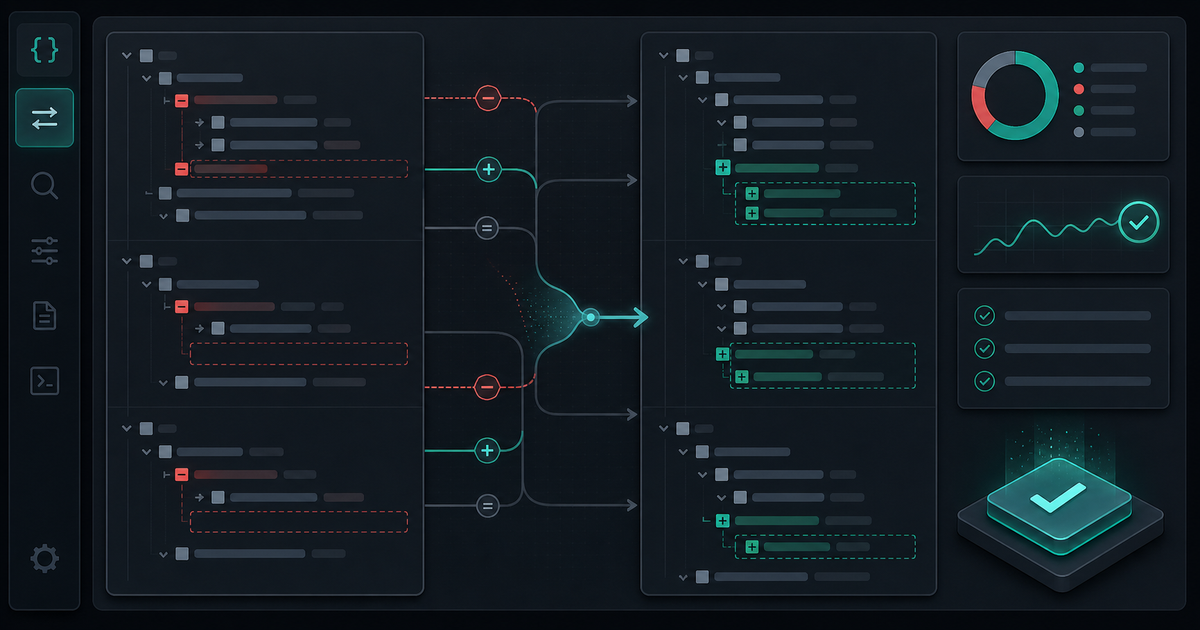
A diff is supposed to show what changed. In practice, it often shows everything except the change you care about: whitespace, key order, timestamps, generated IDs, formatting churn, or arrays that moved around without changing meaning.
When you are debugging JSON responses, config files, API payloads, or saved fixtures, a noisy diff can waste more time than it saves. The fix is to prepare the comparison before you trust it.
Start With the Question
Before opening a diff viewer, name what you are trying to learn.
- Did the API response shape change?
- Did a value change type?
- Did a field disappear?
- Did a generated field change as expected?
- Did an array reorder or did its contents change?
- Did formatting alone change?
The question determines how strict the diff should be. A schema comparison, a regression test comparison, and a human review are not the same task.
The JSON Diff Checklist
1. Format Both Sides First
Raw one-line JSON makes every change look worse. Format both inputs before comparing them so structure is visible.
If one side is minified and the other is pretty-printed, the diff is mostly measuring formatting. That is not useful when you are trying to find a behavioral change.
2. Normalize Key Order When Order Does Not Matter
Object key order usually should not carry meaning. If one serializer emits keys in a different order, a plain text diff may show large changes where the data is effectively the same.
For object-heavy payloads, compare parsed JSON instead of raw strings when possible. If you must use text, sort keys before diffing so real value changes stand out.
3. Ignore Known Generated Fields
Some fields are expected to change every run:
- IDs
- Timestamps
- Trace IDs
- Nonces
- Cache keys
- Build hashes
- Updated counters
Do not let generated fields bury the signal. Replace them with stable placeholders before diffing, or use a tool that lets you ignore those paths.
4. Watch for Type Changes
The most dangerous JSON changes are often small:
const before = { count: 12 }
const after = { count: "12" }
Those two values may look similar in a UI, but they are not the same contract. Type changes can break validation, sorting, database writes, and client rendering.
When reviewing a diff, check numbers, booleans, nulls, arrays, and objects deliberately. Do not only scan the visible value.
5. Treat Arrays Carefully
Array diffs are tricky because position can be meaningful or irrelevant depending on the data.
If order matters, a moved item is a real change. If order does not matter, sort by a stable key before diffing. Otherwise, one reorder can make the whole array look rewritten.
For API responses, ask whether clients rely on the order. If they do, the order belongs in the contract.
6. Compare Shape Before Values
When a bug involves compatibility, compare the object shape first. Missing fields, renamed fields, and changed nesting often matter more than one changed value.
A useful review pass is:
- Compare top-level keys.
- Compare nested object paths.
- Compare array item shapes.
- Compare value types.
- Compare final values.
That order keeps you from getting distracted by a noisy leaf value while a contract change sits above it.
Use a Diff Tool Before Debugging by Eye
Use the Diff Viewer at /tools/json-diff/ when you need to compare payloads quickly. Format first, normalize what does not matter, and then read the remaining changes slowly.
A useful diff is not the one with the most color. It is the one that removes enough noise for the real change to become obvious.
Related Posts
Color Palettes: Check Contrast Before the UI Ships
Build palettes that hold up in real interfaces by checking contrast, states, tokens, and light/dark backgrounds before CSS changes ship.

UUIDs: Pick Identifiers That Survive Real Systems
Use UUIDs deliberately: choose the right identifier shape, keep IDs opaque, avoid collisions, and test how values move through APIs and databases.
Password Generators: Create Strong Secrets Without Leaks
Generate passwords safely by choosing length, randomness, and storage habits before a secret ever leaves your browser.